
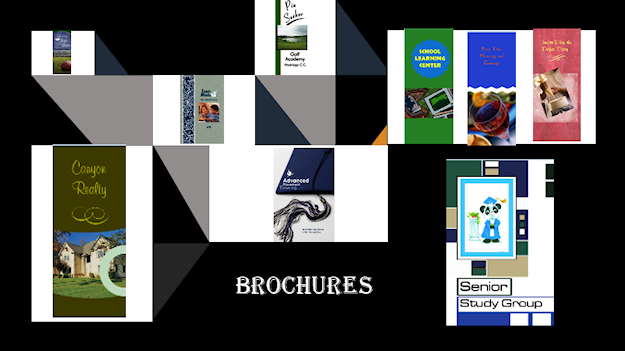
So, your organization wants to make more people aware of its existence. A brochure will let people know the organization’s purpose, activities, and accomplishments. An increase in membership is also desired, and members feel this will be a great way to promote the organization. Printed brochures can be expensive to produce, the budget is tight, and funds are an issue. You have been selected or have volunteered to create a brochure. You want to showcase your organization’s identity. You want it to be informative, interesting, and impressive enough to attract your target audience. So, what do you do? Go online and get a boring template. That would be easy, but oh so mundane! You want your brochure to have personality and pizzazz, something that will attract your audience’s immediate attention, giving them a strong desire to read more, and possibly join!
To make a brochure that will have the style and pizzazz, you will need to use a good desktop publishing software. Many professionals use QuarkXpress, Adobe InDesign, and an open source software, Scribus. You don’t need that! Microsoft Publisher and Word works for me, plus, there is no learning curve. I am sure you already know how to use these programs. I also use Adobe Photoshop, Print Artist, Print Shop and the web. Good paper is a must! Invest in good paper stock, you will be amazed on how polished and professional your brochure will look. If you plan to print the brochure yourself, of course you will need a good quality ink jet printer, laser printer or copy machine. You can also make a digital file (tiff or pdf formats) on a USB drive and take it to a copying service. The fees are reasonable.
I have outlined below the process for designing a brochure, or any communicative document that will be printed and distributed (event programs, booklets, flyers, greeting cards, postcards, business cards, invitations, newsletters, etc.). Step by step details are not given; however, it does outline what needs to take place. That should be quite helpful in knowing just what is needed and when it is needed.
It might help to keep in mind these pointers from The Four Basic Principles of Design: CONTRAST – If two items are not exactly the same, make them very different (shape, lines, color, size, space, etc.); PROXIMITY – Related items are grouped together; ALIGNMENT – Every item should have a visual connection to another item on the page; REPETITION – Repeat some part of the design throughout the page (colors, fonts, shapes, graphics, etc.).
THE PROCESS of Designing: CONSIDER the Concept – (THE IDEA) The occasion/benefit – think of the type of brochure you want. Answer these questions: What is the purpose of your brochure? Which type will work best – (the most common types) bi-fold, tri-fold or Z-fold? Who will be most interested in receiving and reading the contents of this brochure? VISUALIZE The Design – (IMAGES AND PUTTING IT ALL TOGETHER). Choose your Graphics, typeface, color, texture, repetition (consistency), contrast, give the document personality and style that correlates with the purpose. PRACTICE A Layout – (IMAGES AND PUTTING IT ALL TOGETHER). Deciding on the arrangement – alignment, shapes, balance, proximity (unity), white space, lines (margins, placement of images, placement of text). DO THE Editing (THE WORDS) – prepare or improve the written material by correcting, condensing, deleting, adding, rearranging words, making sentences more effective, or making any other appropriate changes. ARRANGE THE Typesetting – (PUTTING IT ALL TOGETHER). Fonts types and sizes – use just one or two, line spacing, the margins, section breaks, headings & sub-headings, placement of images, body text, etc. FINISHING – Proofing – (PRODUCING THE FINISH COPY). Five-Steps in Proof-reading for mistakes – Spelling (read from end to the beginning); Punctuation, Grammar, Proof for meaning, Run the spell check. PRINT- READY – Printing – Choose paper stock. Consider the durability depending on its use. What will work best for this brochure. Print in-house on a high-resolution printer, take to a copying service or a professional printer. FINAL – Final Product – Present to customer/client.
Next, check out my list of the traits of a Good Designer. Don’t roll your eyes and say “whatever,” it’s important, you know it is!
Hello my name is David,
I want to first begin by stating your website is amazing!
I feel like you can utilize a bit more text content though.. and I know it’s rather irritating developing it all yourself.
Do you happen to also have problems making Reports, Guides, Digital Info for your visitors content and even E-BOOKS?
Basic things like offering an E-book can help you get thousands of brand-new leads per month!
New revolutionary technology has JUST been introduced that allows you to INSTANTLY create professional Ebooks, Reports, Guides, Lead Magnets, Whitepapers, and digital info-products AUTOMATICALLY, and “ON-DEMAND” … at a push of a button!
Try it.
> https://sqribble.club/
Thanks for your kind comments. You are so right in your assessment, I am short on content. I am especially interested in E-Books. I will definitely check out your website. D. Allen